 Texmateria
Completely Free! AI Architectural Renderer
Wait, this is free? Learn how to create AI architectural renders with a copy-ready prompt and a real example. Looking for a free renderer or an alternative to a paid service? Here is the surprisingly simple method.
Please, just do it in ChatGPT
Honestly, paying for this is painfully uninformed. Please, just do it in ChatGPT.
I mean FinishIt, the service I built. You shouldn’t need another subscription just to polish an architectural render with AI.
Attach the image. Ask for a photorealistic architectural render. Try that first.
No complicated settings or secret prompt. Below are the words to copy and the image we actually generated.
FinishIt is fired. The instructions are staying right here instead.
Switching from a paid AI renderer: pricing comparison
| Service (partially masked) | Price | Allowance / features |
|---|---|---|
| ChatGPT | US$0 | Image generation and upload limits |
| L○○○ | US$20/month, monthly billing | Unlimited image generation; advanced tools separate |
| R○○○ | US$19/month, monthly billing | 500 credits/month |
| R○○○ | US$19/month, monthly billing | 30 credits/month |
| V○○○ | US$29/month, monthly billing | 500 credits/month; up to 2K |
| m○○○ | US$29/month, monthly billing | 1,000 credits: ~100 Fast or 30 Ultra |
| A○○○ | US$30/month, monthly billing | 200 Pro-model renders/month; unlimited basic renders |
Just use ChatGPT.
How to create an AI architectural render: copy-ready prompt
This living-room sketch was also used to demonstrate FinishIt.

Copy it right here and use it!! Attach your image, hit the button below, and paste it into ChatGPT.
Turn this image into a detailed, photorealistic architectural render with natural light. Keep the composition and furniture layout unchanged.
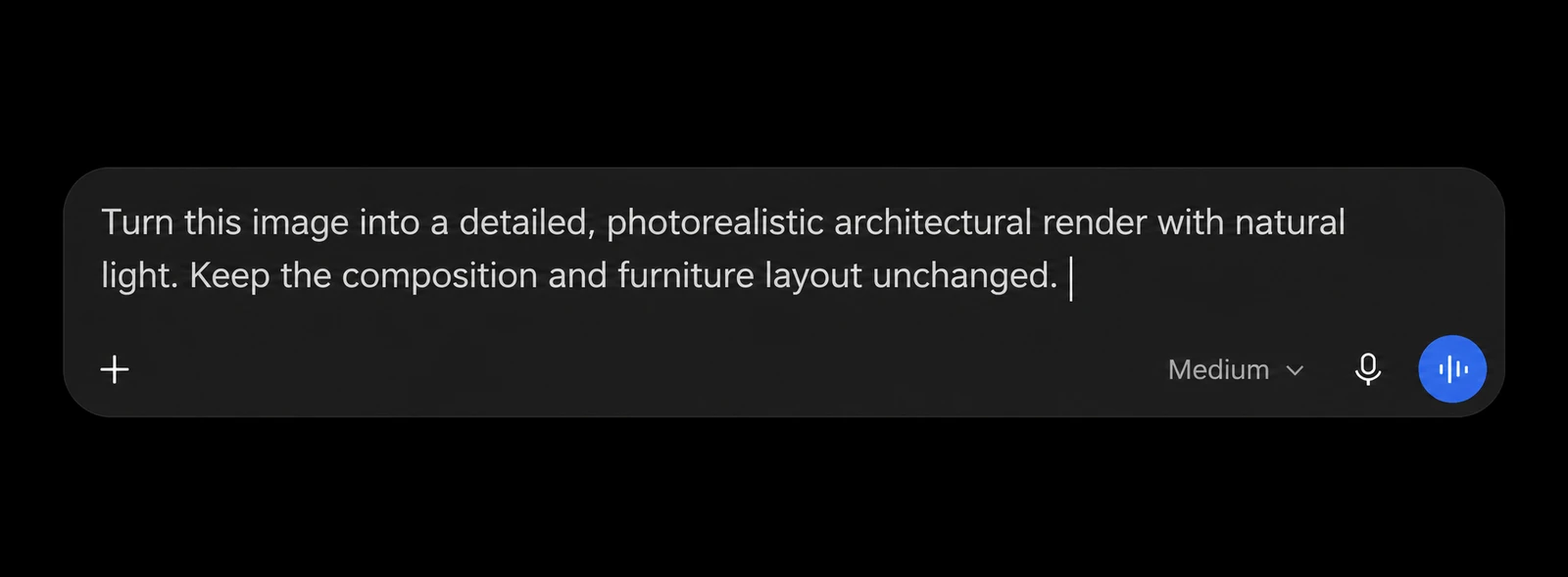
This is what entering the prompt can look like.
That’s it. No elaborate incantation or parameter tuning.
AI rendering example: from sketch to photorealistic interior
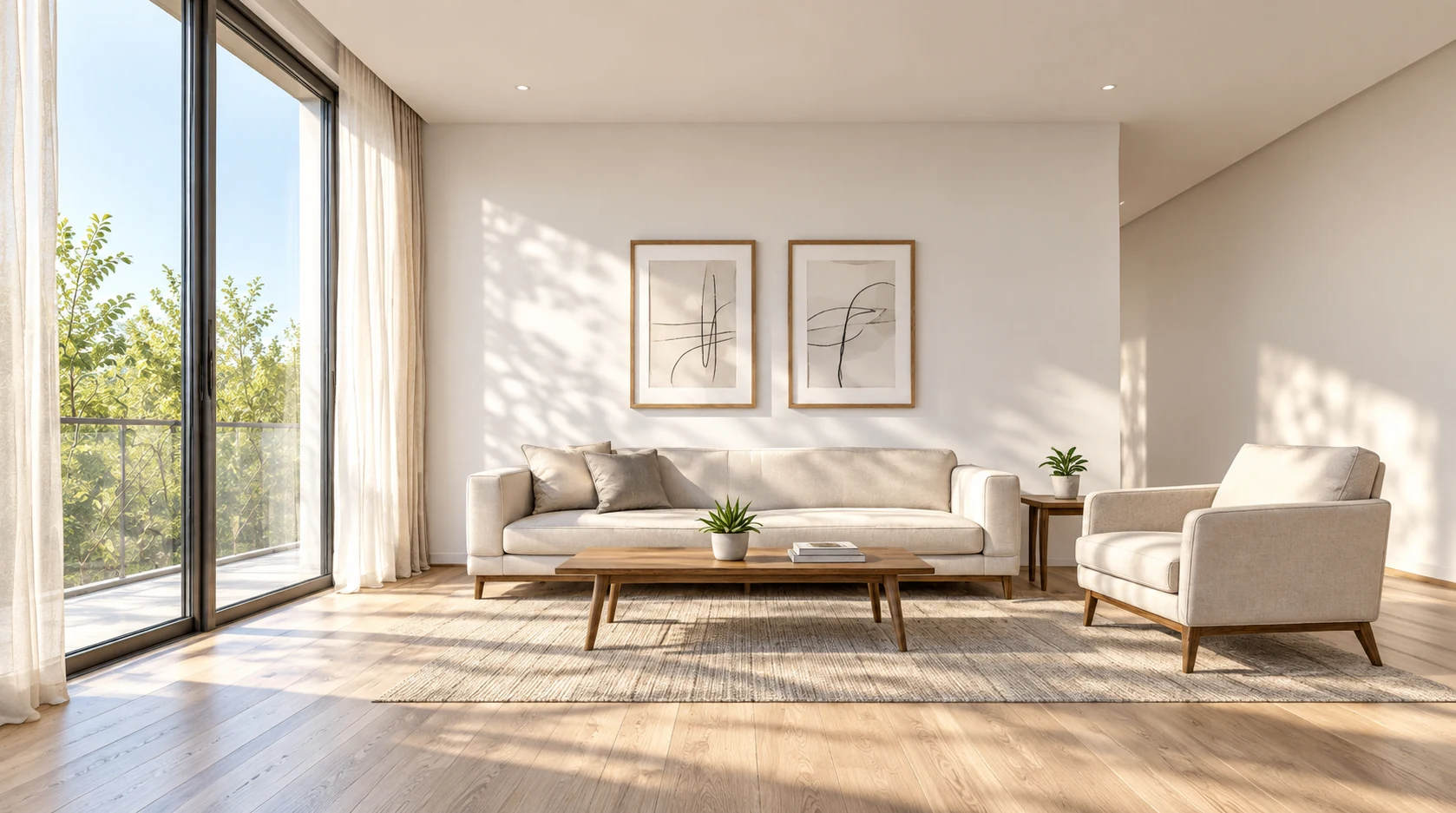
Light through the windows, wood grain, sofa fabric, translucent curtains. That line drawing became this detailed interior render.
The demonstration was generated once with the Japanese version of this prompt; this is the English translation you can copy. No choosing between retries, follow-up corrections or manual retouching. The output is 1678 × 937 pixels.
Change lighting and materials in architectural renders with ChatGPT
Attach a render or sketch in ChatGPT or another service with image editing, then send the prompt above. Start by seeing whether that one result is enough for your purpose.
For a different look, try this.
Keep the same composition, but change the light to a warm evening glow.
Change only the floor to light oak. Leave everything else unchanged.
Try it in ChatGPT first. If this result is all you need, stop paying for a dedicated renderer now! There’s no need to pay separately for FinishIt either.
So FinishIt is fired
Attach the image and send that short instruction. If that does the job, you don’t need a separate FinishIt subscription. Please, try ChatGPT first.
Honestly, do we even need humans making CG renders anymore? AI is just too good.
Me! FIRED!!!!